Deploy a static WordPress site
/pages/how-to/deploy-a-wordpress-site
Mở tutorial / guide ↗ Open tutorial / guide ↗Phần 1: Deploy đầu tiên với Pages Part 1: First deploy with Pages · Bài 1/2 Lesson 1/2
Kết nối repo GitHub/GitLab hoặc dùng `wrangler pages deploy`. Mỗi PR có preview URL — rất hữu ích cho review. Connect GitHub/GitLab or use `wrangler pages deploy`. Each PR gets a preview URL — great for reviews.
Pages = hosting + CI tích hợp. Preview URL mỗi PR là workflow review không cần staging server riêng. Pages = hosting + built-in CI. Per-PR preview URLs replace separate staging servers for reviews.
Mỗi Wrangler environment là deployment riêng (`{name}-{env}`). Binding và vars phải khai báo theo từng environment — không kế thừa tự động. Each Wrangler environment is a separate deployment (`{name}-{env}`). Bindings and vars must be declared per environment — they are not inherited automatically.
Nguồn: Source: Workers Best Practices Workers Best Practices ↗
Tutorial, solution guide và reference từ developers.cloudflare.com/resources ↗ — gợi ý theo chủ đề bài học. Tutorials, solution guides, and reference docs from developers.cloudflare.com/resources ↗ — matched to this lesson topic.
/pages/how-to/deploy-a-wordpress-site
Mở tutorial / guide ↗ Open tutorial / guide ↗/workers/static-assets/migration-guides/netlify-to-workers
Mở tutorial / guide ↗ Open tutorial / guide ↗/workers/static-assets/migration-guides/vercel-to-workers
Mở tutorial / guide ↗ Open tutorial / guide ↗/pages/tutorials/add-a-react-form-with-formspree
Mở tutorial / guide ↗ Open tutorial / guide ↗Fullstack applications Fullstack applications
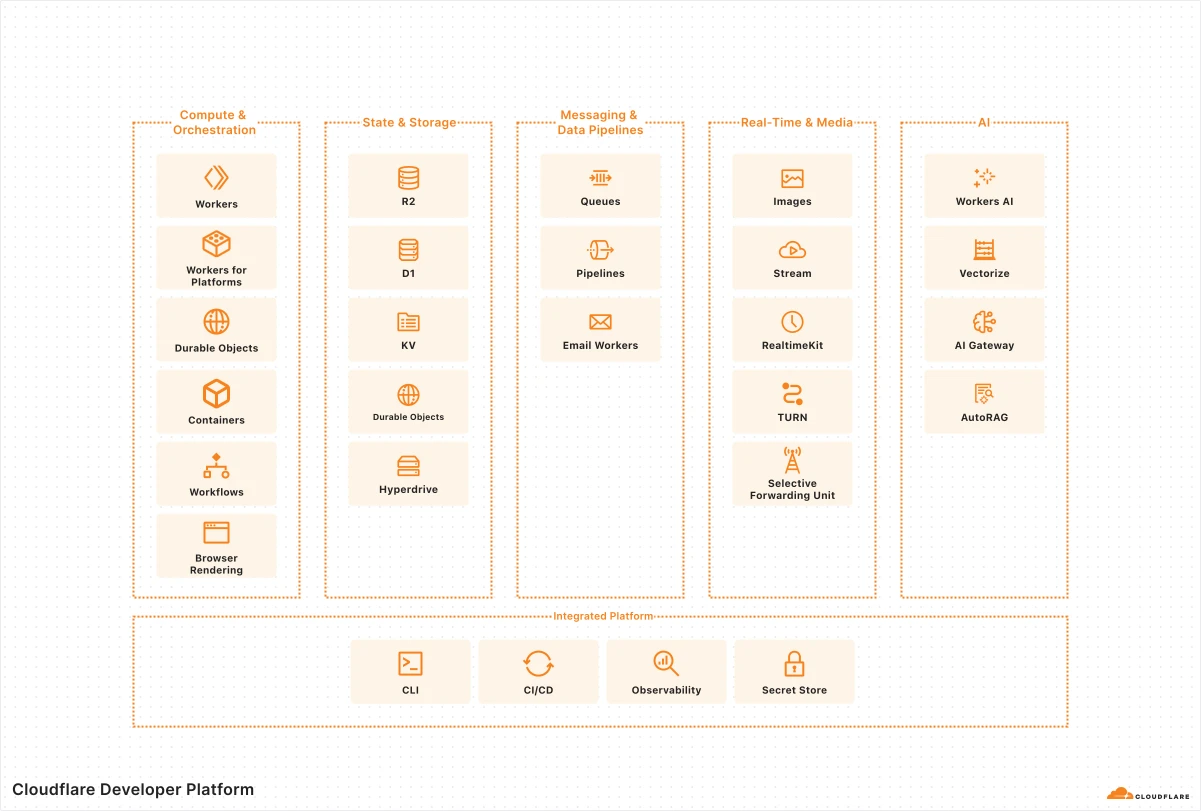
Ví dụ fullstack trên Developer Platform — Workers/Pages, storage và AI services trong một kiến trúc thực tế. A practical example of how these services come together in a real fullstack application architecture.
Thuật ngữ: Concepts: Workers · Pages · D1 · R2 · KV · Durable Objects
Sơ đồ chính thức ↗ Official diagram ↗ · Serverless Serverless